As an Amazon Associate, we earn from qualifying purchases. Some links on this site are affiliate links at no extra cost to you. Our recommendations are based on thorough research and editorial judgment.


How to Connect Bluetooth Headphones to Xbox One

Xbox One lacks native Bluetooth support, requiring an additional adapter for connecting Bluetooth headphones. Users must purchase a Bluetooth transmitter that connects to the console’s optical audio port or USB port. After connecting the adapter, put headphones in pairing mode and follow the adapter’s instructions to complete setup. For better audio quality and lower latency, Xbox Wireless headsets provide a superior alternative without adapters. The following steps explain the entire process with troubleshooting options.
Key Takeaways
- Xbox One lacks native Bluetooth support, requiring a dedicated Bluetooth adapter specifically designed for Xbox consoles.
- Connect an optical audio adapter to the Xbox One’s TOSLINK port, then pair it with your Bluetooth headphones.
- Xbox Wireless Headsets provide a direct connection to the console without additional adapters for optimal performance.
- USB RF dongles offer reliable connections for compatible headsets as an alternative to Bluetooth.
- For troubleshooting, update firmware via Xbox Accessories app and remove physical obstructions or sources of interference.
Understanding Xbox One’s Bluetooth Limitations
You may be interested

Are Bluetooth Headphones Bad for Your Health?
June 3, 2025
Can You Connect Bluetooth Headphones to PS5?
May 26, 2025
While many gaming peripherals rely on Bluetooth technology for wireless connectivity, Xbox One consoles especially lack native Bluetooth support. This absence is intentional rather than an oversight, as Microsoft developed a proprietary Xbox Wireless protocol to overcome Bluetooth’s inherent limitations.
Bluetooth technology suffers from significant Signal Interference issues when multiple devices operate simultaneously. This interference can disrupt gameplay, particularly in environments with many wireless devices. Additionally, Bluetooth connections typically cannot maintain the sub-8ms Latency Effects required for responsive gaming experiences.
Standard Bluetooth also struggles to handle more than two devices reliably, whereas Xbox Wireless supports up to eight controllers simultaneously. The proprietary protocol further enables advanced features like impulse triggers and wireless stereo audio that enhance immersion—capabilities that standard Bluetooth connections simply cannot deliver.
For gamers seeking wireless audio solutions compatible with Xbox, headsets like the Turtle Beach Stealth 600 offer multi-platform connectivity through 2.4GHz wireless and Bluetooth 5.2, providing both comfort and customizable sound options.
Essential Hardware for Connecting Bluetooth Headphones
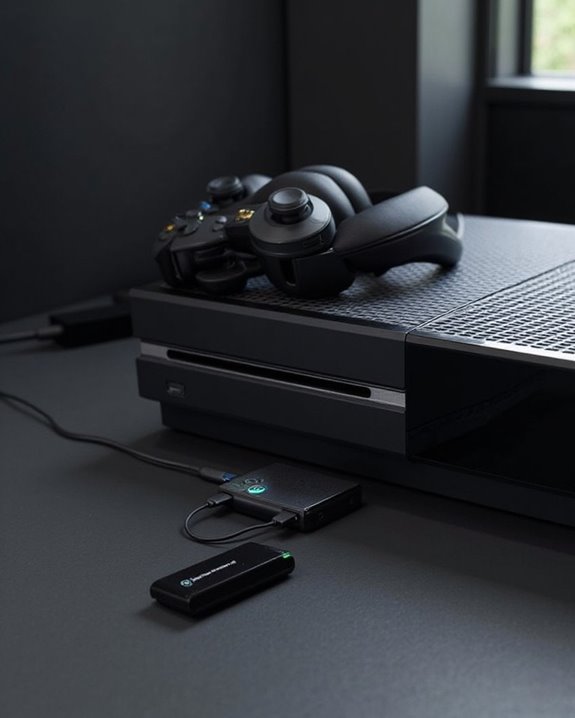
Connecting Bluetooth headphones to an Xbox One requires specific hardware accessories due to the console’s lack of native Bluetooth support. The primary solution is a Bluetooth adapter designed specifically for Xbox consoles, typically priced between $30-$40.
Various adapter designs are available, with most requiring a Series S/X Xbox Controller for proper pairing. These compact devices support both game audio and chat functionality while offering compatibility with popular headphone brands like Beats and Bose.
Hardware specs to evaluate include charging capabilities (usually via USB or micro-USB), battery life for extended gaming sessions, and form factor. The most effective adapters deliver lower latency than standard Bluetooth connections, though performance varies by model.
For ideal results, select adapters from reputable manufacturers that guarantee compatibility with newer Xbox controllers and various headphone types. Additionally, some wireless gaming headsets offer dual wireless connectivity options that can enhance cross-platform compatibility and audio performance.
Recommended Products

Plug and Play: This PS5 bluetooth adapter is designed to work with a wide range of devices and makes it simple for previously unsupported devices to have Bluetooth capability now, adding Bluetooth audio capability (AUDIO devices ONLY, no data) with ease to your PS4, PS5, Switch, Desktop or iMac. No need to install any driver/software. Simply plug the CM668 into your device's USB port, then set your headphones or speakers to pairing mode, and an automatic connection will be made.

User-Friendly: Connect your wireless headphones to your PS5 or other gaming consoles with the UGREEN adapter and enjoy high-quality audio with no wires, drivers, or software required. Also Add Bluetooth audio capability (AUDIO devices ONLY, no data) with ease to your Desktop, Computer, iMac

YOUR AIRPODS NOW WORK WITH XBOX — This Bluetooth adapter for Xbox plugs into your controller's 3.5mm jack and pairs any Bluetooth headphones instantly — AirPods, AirPods Pro, Sony WH-1000XM, Beats, Bose, or any Bluetooth earbuds. The audio you already love — now for Xbox One, Series X|S, and Elite Series 2
Step-By-Step Connection Process With Adapters
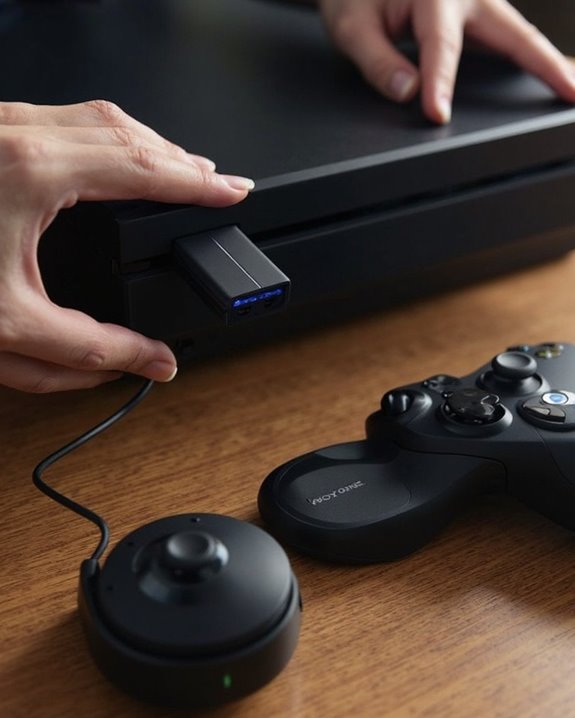
Setting up Bluetooth headphones with an Xbox One requires a methodical approach due to the console’s lack of native Bluetooth support. The Adapter Integration workflow typically involves specialized hardware rather than standard Bluetooth dongles.
For most setups, users must:
- Connect an optical audio adapter to the Xbox One’s TOSLINK port
- Link the adapter to Bluetooth headphones following manufacturer instructions
- Configure audio output settings in the Xbox menu system
The Process Workflow varies by adapter model, but generally follows this sequence. Xbox-licensed wireless headsets offer the most reliable solution, connecting directly without additional adapters. Alternatively, some third-party adapters that connect via optical output can bridge standard Bluetooth headphones to the console, though audio latency may occur during gameplay. Using a high-quality DAC/amp combo with optical input support can improve sound clarity and reduce latency in these setups.
Recommended Products

Output: RCA Red/White (L/R) Channel
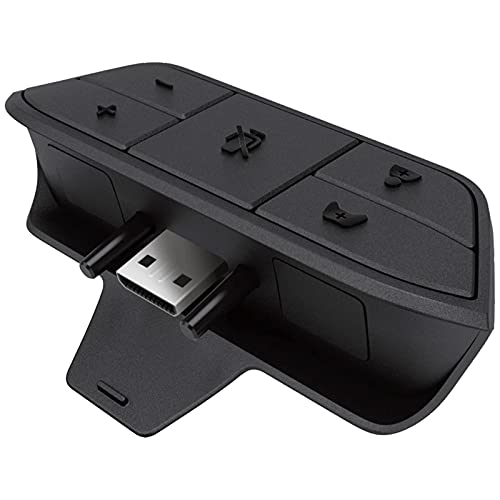
🎮FEATURE🎮Control audio balance (game sound and voice chat), volume & mic directly without adjusting chat mixer setting on Xbox system every time or taking your hands off the controller

【HDMI Audio Extractor】The HDMI audio extractor can extract audio from HDMI signal and transmit it to AV receiver through optical or 3.5mm Cable.(Note: Devices do not support ARC and eARC.TV is not supported as the input source,otherwise product doesn't p video.)
Alternative Methods for Wireless Audio on Xbox One
Xbox One offers several wireless audio options beyond traditional Bluetooth headphones. Players can use Xbox Wireless Headsets that connect directly to the console without adapters, providing low-latency audio and superior sound quality. USB RF dongles present another alternative, offering reliable connections for compatible headsets.
For those seeking different solutions, 3.5mm and optical audio cables bypass wireless limitations entirely. Brands like SteelSeries Arctis 9x and HyperX Cloud Flight S provide Xbox-specific wireless headsets with battery life ranging from 15-40 hours depending on the model.
The Xbox Wireless protocol typically delivers better sound quality than standard Bluetooth connections, with reduced latency essential for competitive gaming. Mid-range options balance performance and price, while premium headsets like the Astro A50 X offer advanced features including Dolby Atmos support.
Recommended Products

【Upgraded Wireless Connected to The Official xbox Controller】The Captain 200 for xbox headset wireless offers Dual-Lock Dongle for xbox Wireless connectivity for official xbox controllers (compatible with xbox Series X/S and xbox One). It is also compatible with PC, PS5/4, Mac, and Nintendo Switch (mic not supported on Switch). Enjoy low-latency gameplay (≤20ms) and clear sound with wide compatibility for popular games.

【Multi-Platform Compatible】Support PlayStation 4, PlayStation 5, Xbox, Xbox Series X|S, Xbox One, PC, Nintendo 3DS, Laptop, PSP, Tablet, iPad, Computer, Mobile Phone. Please note you need an extra Microsoft Adapter (Not Included) when connect with an old version Xbox One controller.

Wireless Headset for Xbox and More: Designed for Xbox Series X/S and Xbox One, this Xbox headset wireless option also works with PC, PS5, Switch, and Mac for flexible everyday gaming. Rechargeable transmitter does not drain controller battery. Whether you are looking for a wireless gaming headset for console or a gaming headset for PC, it is built to support multiple platforms with ease
Troubleshooting Common Bluetooth Connection Issues
Despite the various wireless audio alternatives available for Xbox One, users often encounter frustrating connection problems when attempting to use Bluetooth headphones. Understanding the core compatibility limitations is essential—Xbox One consoles don’t natively support standard Bluetooth audio connections, requiring either Xbox Wireless certification or appropriate adapters.
Signal Interference Fixes include removing metal objects or Wi-Fi routers near the console, clearing paired device lists, and ensuring headsets remain within the 19-30 foot effective range. Physical obstructions should be minimized for ideal connectivity.
Regular Firmware Updates are critical for maintaining compatibility. Both headset firmware via the Xbox Accessories app and console software updates should be checked routinely. Outdated firmware commonly causes audio quality issues, latency problems, or complete pairing failures that users mistakenly attribute to hardware defects.
Recommended Products

Manufactured by CIPON: This Wireless Adapter manufactured by a third-party company , not by Microsoft; Our Adapter chip and program is the same as official, and quality as good as official

Bluetooth 5.4 + Broad Compatibility - Provides Bluetooth 5.4 plus EDR technology and is backward compatible with Bluetooth V5.3/5.0/4.2/4.0/3.0/2.1/2.0/1.1.

Play with your Xbox Wireless Controller on Windows PCs, laptops, and tablets. Not compatible with controllers designed for Xbox 360.
Frequently Asked Questions
Will Using Bluetooth Adapters Void My Xbox Warranty?
Using third-party Bluetooth adapters can potentially void an Xbox warranty. Warranty risks arise when unauthorized modifications are made to the console. The adapter impact on warranty status depends on the manufacturer’s specific terms and conditions.
Can I Use Playstation-Branded Bluetooth Headsets With Xbox One?
Where there’s a will, there’s a way, but PlayStation-branded Bluetooth headsets aren’t directly compatible with Xbox One. Cross Platform Use requires adapters or dongles, as Headset Compatibility is limited without additional hardware solutions.
Do Xbox Series X|S Adapters Work With Xbox One Consoles?
Most Xbox Series X|S Bluetooth adapters offer backwards compatibility with Xbox One consoles. Series Integration allows these adapters to function through the controller’s audio jack, though some advanced features may be limited on older hardware.
How Much Audio Lag Occurs When Using Bluetooth Adapters?
Bluetooth adapters typically introduce audio latency between 30-300 milliseconds. Lag measurement varies based on adapter quality and codec support, with aptX Low Latency technology reducing delays to approximately 40ms compared to standard Bluetooth connections.
Can I Use Apple Airpods With My Xbox One?
AirPods can connect to Xbox One using third-party Bluetooth adapters like Skull & Co. Users should note that AirPods battery life may diminish during gaming sessions, and AirPods controls won’t function with Xbox games.